

"Instagram doesn't feed into Google, but my blog does," Nile Lundgren said. When you Google his name, his own posts are what show up.
That's what real estate blog analytics are for. Your blog produces data every day about what buyers and sellers are searching for, which posts earn trust, and which ones sit there unread.
Most agents check that data the way they check the weather. A quick glance, a vague sense of fine or not fine, then nothing. Here's how to read it like someone who plans to act on it.
What real estate blog analytics to check first
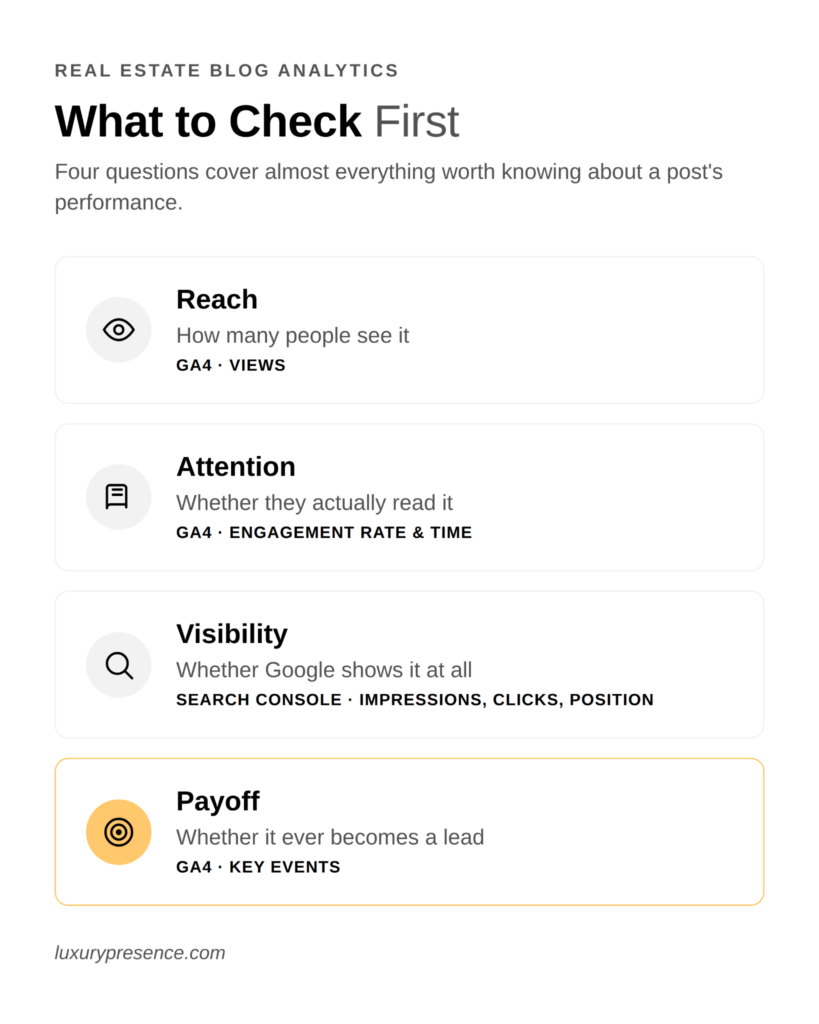
Four questions cover almost everything worth knowing about a post's performance.
- Reach. How many people see it (GA4 views).
- Attention. Whether they actually read it (GA4 engagement rate and engagement time).
- Visibility. Whether Google shows it at all (Search Console impressions, clicks, and position).
- Payoff. Whether it ever becomes a lead (GA4 key events).
The sections below walk through each one.
Start with GA4: is anyone reading this?
Traffic alone tells you almost nothing. A post can pull in hundreds of visitors and convert none of them. A post with a fraction of the traffic can quietly generate your best leads.
To tell the difference, open Reports > Engagement > Pages and screens in GA4. LP's guide to Google Analytics for real estate walks through the setup if this is new territory. Then look at four numbers for each post:
- Views. How many times the page loaded. Your reach number, and the least useful one on its own.
- Engagement rate. The share of sessions where someone stayed past 10 seconds, viewed another page, or triggered a conversion, per Google's own definition. It's GA4's stand-in for whether someone actually read the post.
- Average engagement time. How long engaged readers spent on the page, based on Google's user engagement metrics. A couple of minutes is a reasonable floor for a long guide. Under 20-30 seconds usually means people bounce off the intro.
- Key events. The conversions you've marked as important, covered below.
A post with high views, low engagement rate, and thin engagement time is a headline that worked without content that held up. A post nobody's finding is a different problem, with a different fix.
Then check Search Console: are you visible or invisible?
GA4 shows what happens after someone lands on your post. Search Console's Performance report shows what happens before that, and it's where most agents stop looking too soon.
Filter the report to a single post and read four metrics in sequence, since each one diagnoses a different problem. LP's guide to website analytics for real estate agents covers the full setup if you're starting from scratch.
- Impressions. How often the post showed up in search results.
- Clicks. How many of those impressions turned into a visit.
- CTR (click-through rate). Clicks divided by impressions, a snippet-quality signal for your title and meta description.
- Average position. Roughly where the post ranks for its queries.
Read them in order, not in isolation:
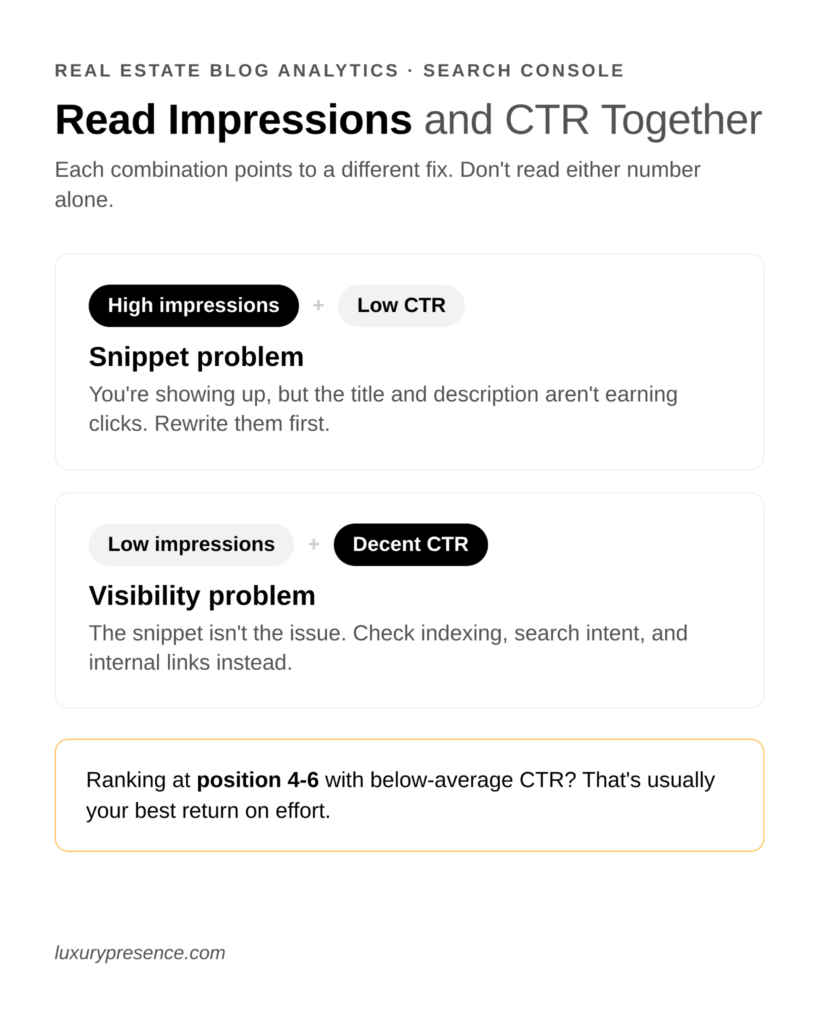
- High impressions, low CTR. You're showing up, but the title and description aren't earning clicks. Rewrite them first.
- Context on CTR. Position 1 results typically earn a meaningfully higher CTR than results further down the page. A post at position 6-10 might pull only a small share of clicks even with a strong title, so don't read a low CTR as a snippet problem on a post that isn't ranking near the top yet.
- Low impressions, decent CTR. Visibility is the real problem. Check whether the page is indexed, whether it targets a term people actually search, and whether thin content or missing internal links are holding it back.
- Steady position, falling CTR. A competitor likely improved their title, or an AI Overview or featured snippet is capturing the click first. Filter by Search Appearance to see what's competing for it. LP's guide to tracking AI search visibility covers this shift in more depth.
- Position 4-6, below-average CTR. This is usually your best return on effort. The page has already proven relevance, so a sharper title moves it faster than trying to rescue a page stuck on page two.
How to tell a good post from a bad one
Get both reports into one view before you judge anything. Export GA4's Pages and screens report and Search Console's Performance report for the same date range, then match them by URL. Once impressions, CTR, engagement rate, and engagement time sit side by side, the pattern is usually obvious.
Give it real data first. A post that's only been live a few weeks, or barely has any impressions yet, can swing wildly for reasons that have nothing to do with quality. Wait for a real sample before sorting it into a bucket.
Watch for posts that are seasonal by nature, like a spring buying guide or a holiday market update. Compare those to the same month last year instead of last month, or a normal seasonal dip reads like decay.
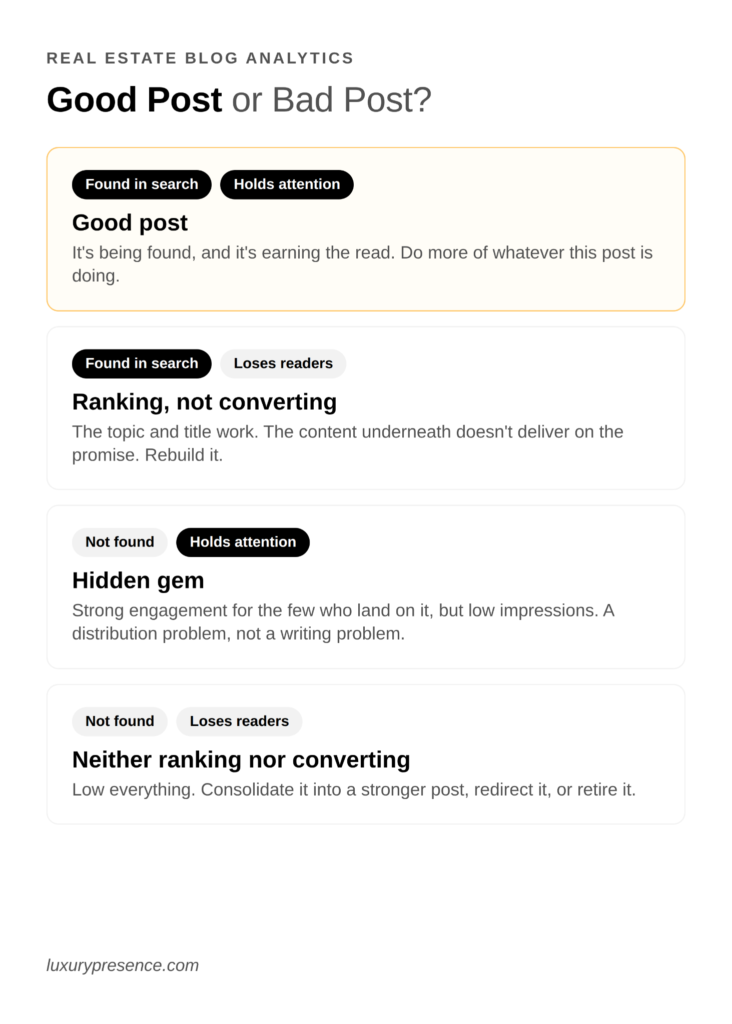
With clean data in front of you, four verdicts cover almost every post:
- Good post. Solid impressions and CTR, plus healthy engagement rate and time. It's being found, and it's earning the read. Check LP's list of real estate blog ideas for related questions to cover next.
- Ranking but not converting. Decent Search Console numbers, weak GA4 engagement. The topic and title are working, but the content underneath doesn't deliver on the promise. Revisit the post itself with LP's real estate content writing playbook before you touch the SEO.
- Great content, nobody's finding it. Strong engagement for the readers who land on it, but low impressions. A distribution and indexing problem, not a writing problem. LP's real estate SEO strategies are the right place to start.
- Neither ranking nor converting. Low everything. These are candidates to consolidate into a stronger post, redirect, or retire.
Work the buckets in order of upside, not in the order they're listed. A post that's ranking but not converting is already halfway there, since Google has decided it deserves the spot. A hidden gem nobody's searching for yet still needs to earn a ranking first. Fix the post closest to paying off before you invest in the one still waiting to be found.
Connect your blog to leads
"You have to be able to accurately track what does good look like, what does winning look like in SEO. As an SEO, we have our KPIs that we look at: increases in organic traffic, increases in rankings, increases in engagement when people are on our website. At the end of the day, you have to be able to accurately attribute where your leads are coming from to know if that's a channel worth continuing to invest in."
Kyle Whigham, SEO at Luxury Presence
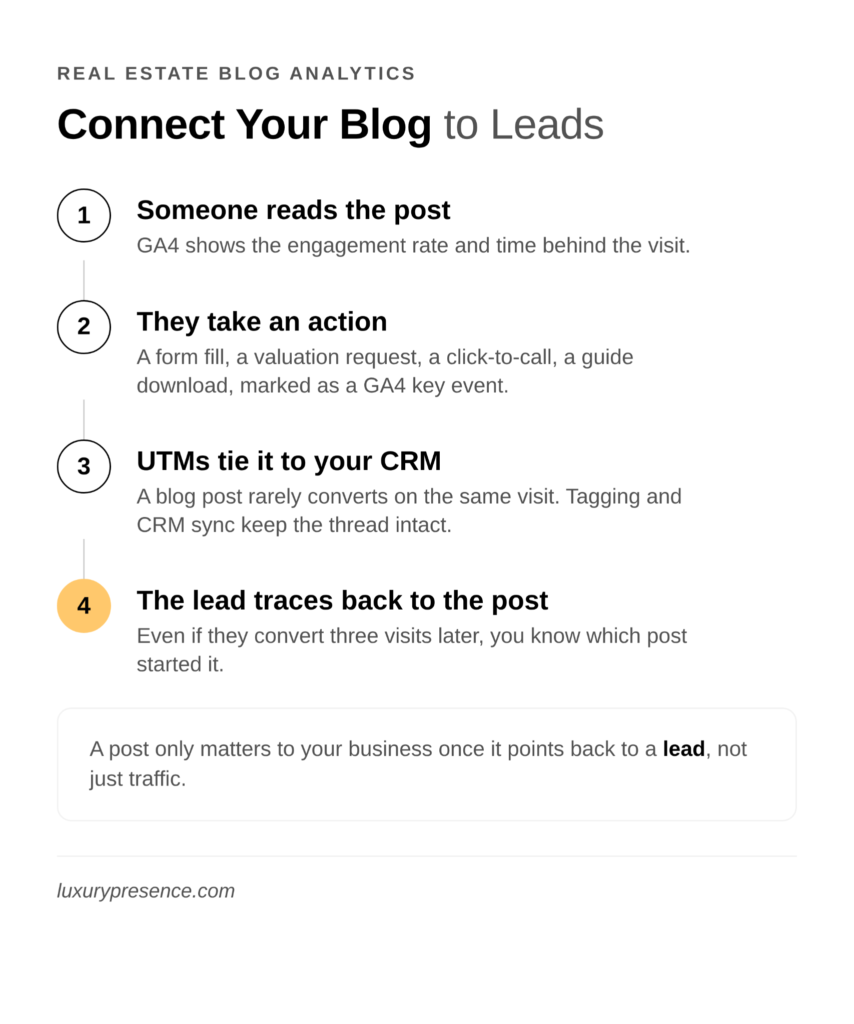
A post only matters to your business once it points back to a lead. In GA4, mark your real conversion actions as key events: a contact form submission, a home valuation completion, a click-to-call, or a guide download.
Enhanced Measurement picks up some of this automatically, including scrolls, outbound clicks, and downloads. The events specific to your site, like a valuation request, need to be set up as custom events.
A blog post rarely converts on the same visit where someone reads it. Tag your blog links with UTM parameters and connect GA4 to your CRM, so you can trace a lead back to the post that first brought them in, even if they converted three visits later.
Your best-performing posts are also raw material. LP's guide to real estate lead magnets and LP's guide to building a real estate email list both start with the same move: turn a post that's already proven itself into a gated download or a newsletter feature, instead of guessing at new ideas from scratch.
What to do with what you find
Once you know which posts are working and why, the fix for each bucket is specific.
- Rewrite titles and descriptions for the ones ranking but not clicking.
- Rebuild the content for the ones clicking but not holding attention.
- Add internal links and resubmit for indexing on the ones nobody's finding.
- Retire or merge the rest.
That's a real content strategy, built from your own data instead of a guess about what your audience wants. LP's content marketing guide for real estate is a good next stop for turning this analysis into a publishing plan.
If you'd rather have someone else run the analysis and build the plan, Luxury Presence's SEO team can dig into your blog's performance and tell you exactly where to focus next.
FAQs for real estate blog analytics
Ready to grow?
Turn your content into your best lead source
See how Luxury Presence helps agents turn website visits into closed deals