
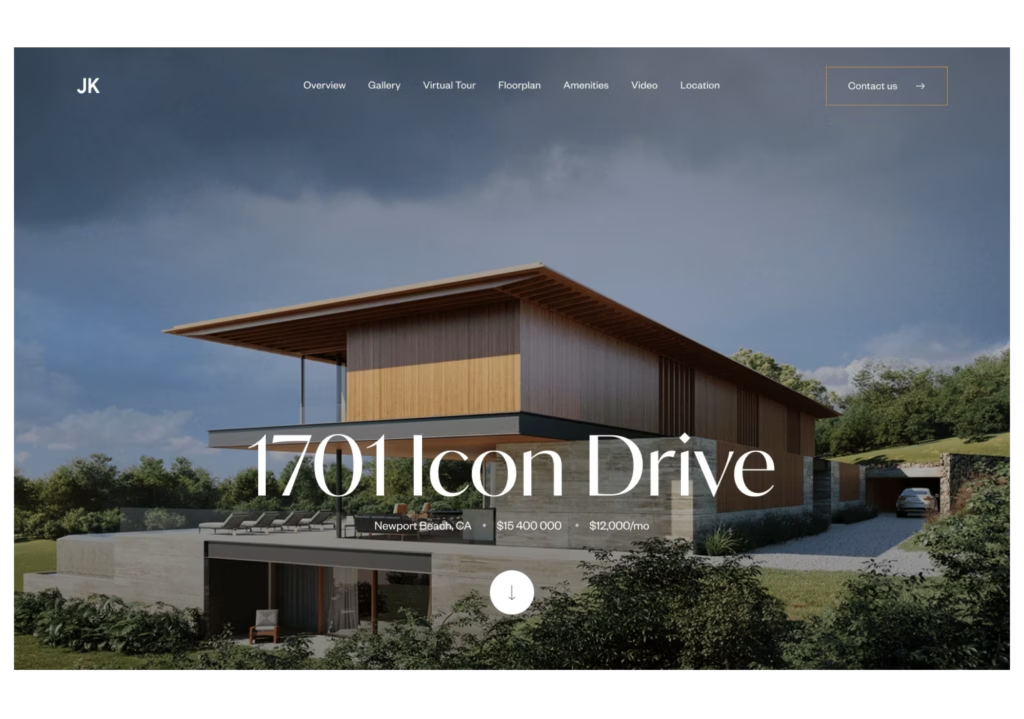
Every listing gets one first impression online. The template behind your single property website decides whether that impression feels custom-built or copy-pasted.
Search "single property website templates" today and most results are theme marketplaces selling the same layouts to hotels, rental hosts, and unrelated small businesses. None of them are built around what a real estate listing actually needs.
This guide covers what separates a template that converts from one that just looks nice, shows real examples across different property types, and walks through how to launch yours in one click with Luxury Presence property websites.
Key takeaways
- A single property website template needs four things a generic theme skips: MLS data sync, address-specific SEO, a lead form that reaches you directly, and a design built around one listing's story.
- The right template changes with the property. A penthouse, a multi-unit building, and a mountain estate each call for a different layout and a different set of features.
- Luxury Presence templates auto-populate with your MLS data, photos, and video, so a finished property site is live in minutes.
- Los Angeles agent Cindy Ambuehl used these templates across her listings and closed 38 deals worth $250 million while cutting her site-creation time in half.
- Every property site connects to your CRM, so a lead who fills out a form on the site lands in your pipeline without any manual entry.
When I saw the single property website options at Luxury Presence, I was super impressed. This is a tool agents should absolutely be using.
Tracy Tutor, Douglas Elliman, Los Angeles
Why a template built for one listing beats a portal page
Most listings live on portal sites where your branding disappears, competing agents show up alongside you, and buyer inquiries route to the platform instead of to you. A single property website removes those problems by giving the listing its own URL, wrapped in your brand, with every lead sent straight to you.
| Channel | Dedicated URL | Branding control | Lead capture | SEO potential |
|---|---|---|---|---|
| Single property website | Yes, subdomain or custom domain | Full, agent-branded | Routed directly to you | High, targets one address |
| Portal listing | No, portal-owned URL | None, portal branding | Shared with the portal and competing agents | Low for the agent, high for the portal |
| MLS-only marketing | No | Minimal | None direct to the agent | Low, MLS pages are typically gated |
What makes a single property website template actually convert
The layout decides what a buyer sees first, how long they stay, and whether they reach the inquiry form. Color and fonts matter far less than structure.
| Feature | Why it matters |
|---|---|
| Hero section | Shows the address and one clear action, like "Schedule a Tour," in the first three seconds |
| Stats block | Answers beds, baths, square footage, and year built before a buyer has to dig for them |
| Photo gallery and virtual tour | Keeps an engaged buyer moving toward the inquiry form instead of clicking away |
| Neighborhood data | Helps a buyer picture the life that comes with the address, not just the square footage |
| Repeated lead form | Gives a buyer a clear next step near the top of the page and again at the bottom |
| Fast mobile load | Keeps the click from being lost before a buyer ever sees the home |
| Address-specific SEO | Targets one exact address, neighborhood, and property type in every tag |
A few of these are worth a closer look.
A real estate single property website in action
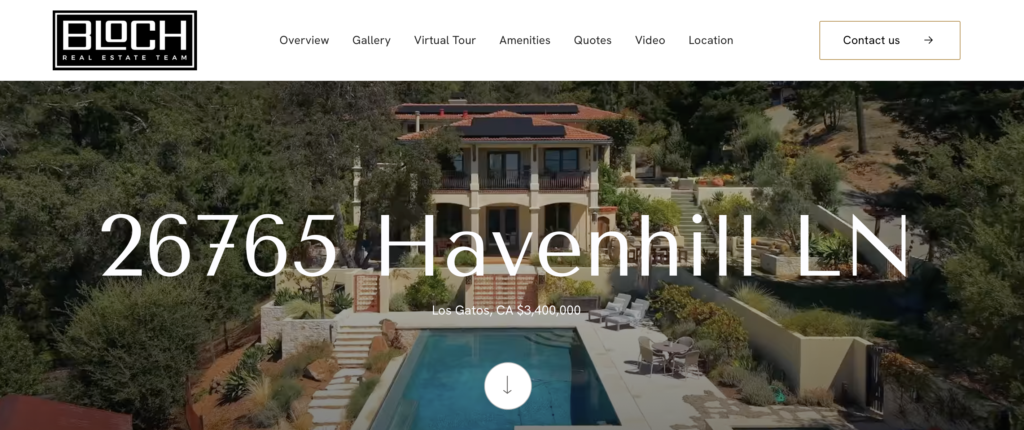
26765 Havenhill Lane, a Los Gatos mountain estate listed with Christie’s International Real Estate Sereno, shows how a single property website can carry a property's story instead of just its stats.
The page opens with price, acreage, and bed and bath counts up front. From there, the long-form description splits into themed sections instead of one dense paragraph, covering the home's interior, the outdoor "resort" spaces, the infrastructure (solar, backup power, Starlink, EV charging), and the surrounding land and recreation. Each section gives a reader a reason to keep scrolling instead of reading a spec sheet.
A photo gallery of dozens of images and a separate virtual tour sit alongside the narrative, so a buyer can move between reading the story and seeing the home for themselves. A detailed property-facts section (interior, exterior, lot and area, and finance, each in its own block) follows for buyers who want the numbers without the story. A downloads section adds 2D and 3D floor plans and a home-highlights PDF, so a serious buyer gets the documents they'd otherwise have to request.
Open house dates sit directly under the price. The tour-scheduling form offers both an in-person and a video-chat option, which lets more buyers act on the listing right away. A second contact form and a newsletter signup add more ways to reach out, and both agents on the listing get their own bio with direct phone, email, and social links, so a lead never has to guess who to contact.
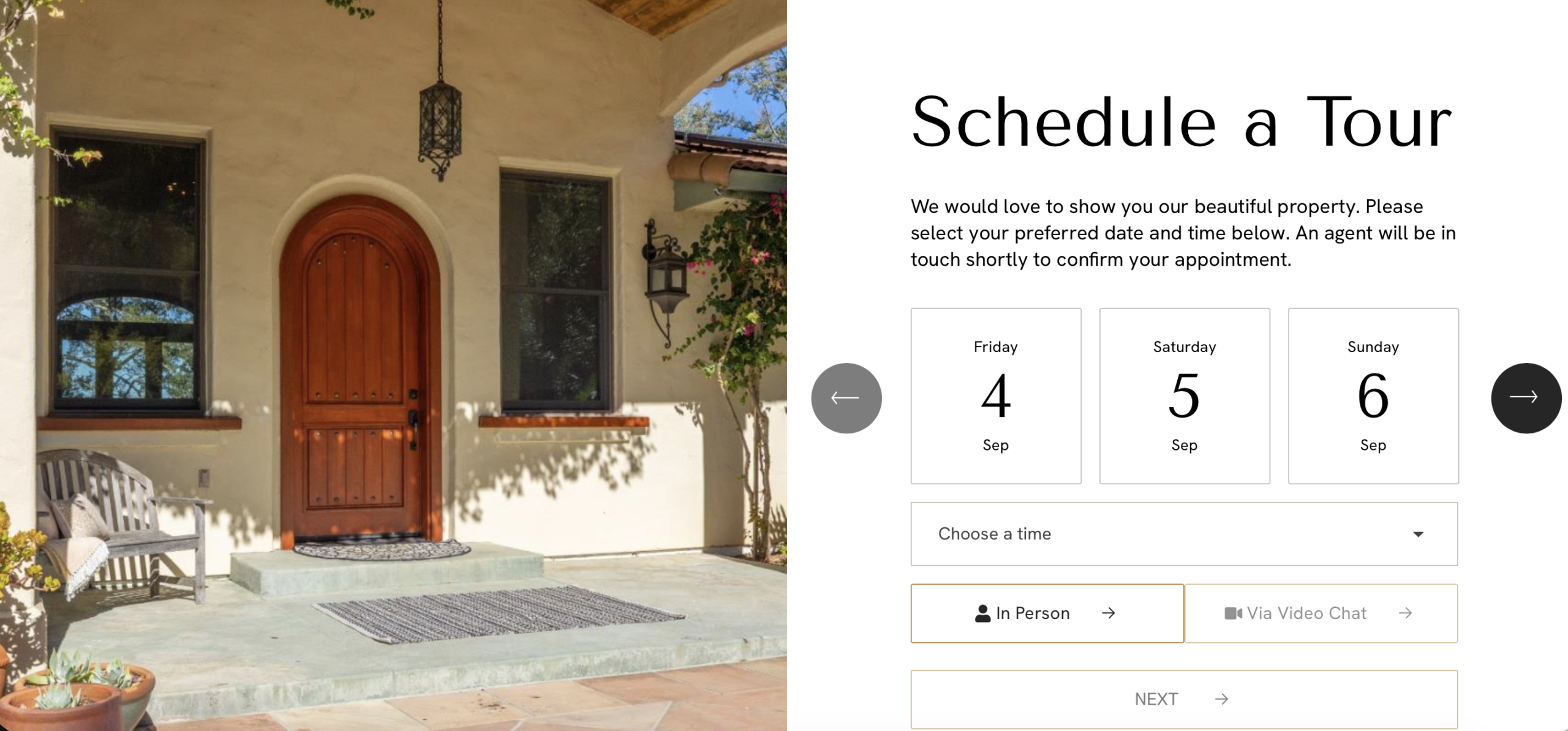
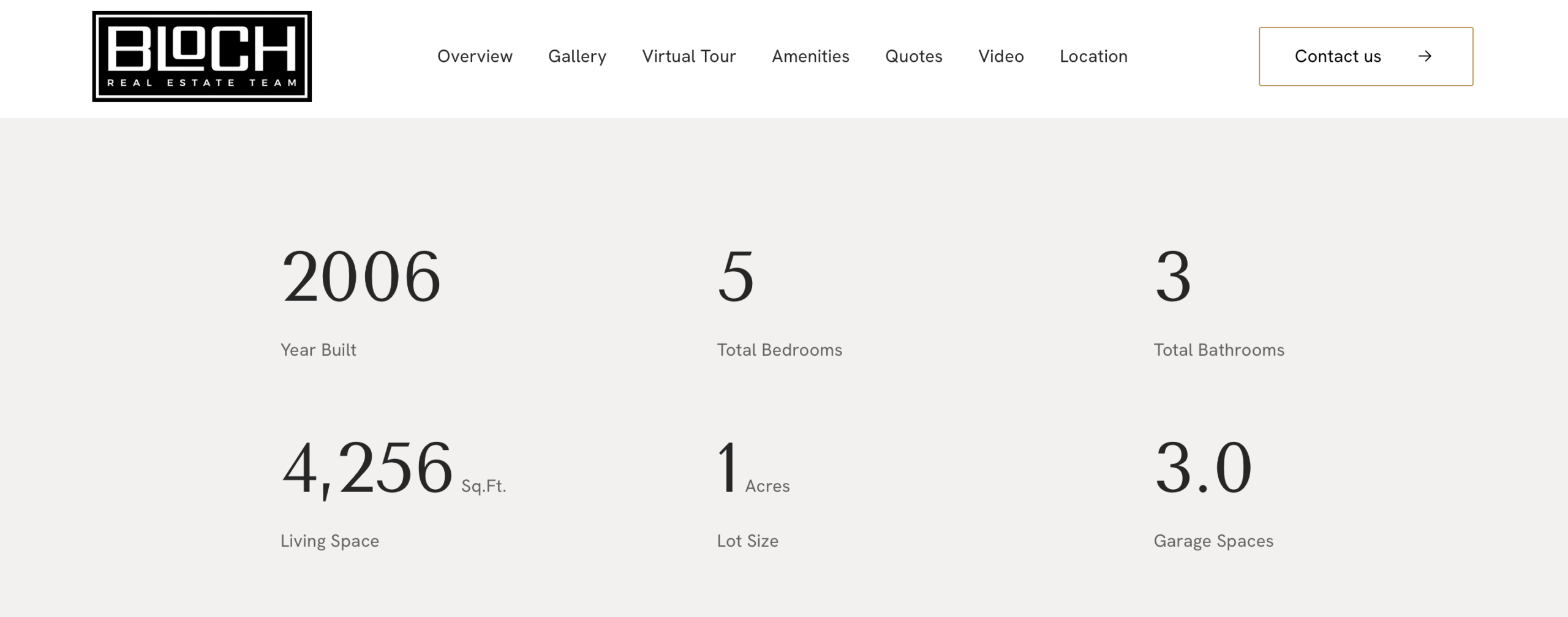
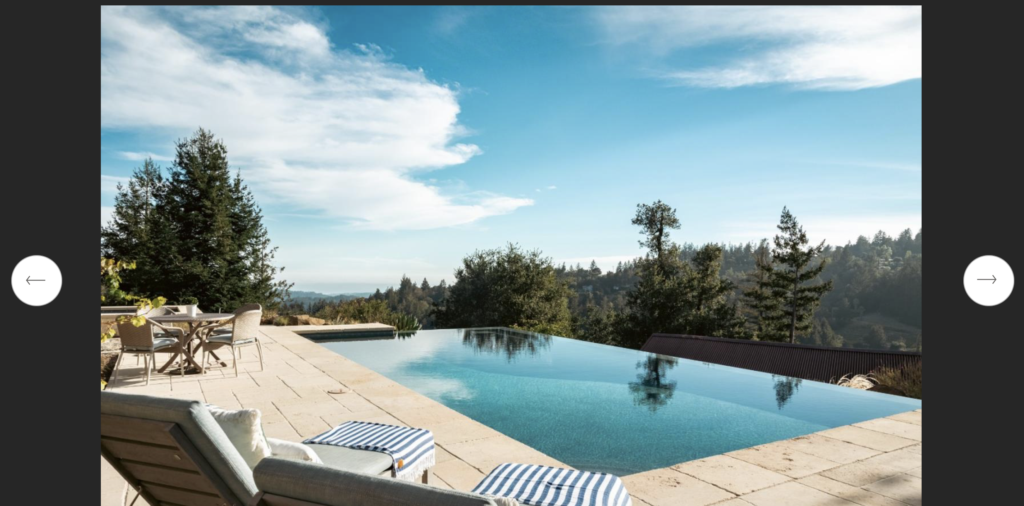
Photo galleries and virtual tours placed to keep buyers scrolling
The strongest templates put the photo gallery and virtual tour right after the hero image, so an engaged buyer keeps moving toward the inquiry form.
A drone shot belongs in that same early block for any listing where the lot or the view is part of the pitch.
Built-in SEO for one specific search query
A template built around a single listing can target the exact address, neighborhood, and property type in every title tag, header, and image alt text.
That focus makes a property page a stronger candidate for search visibility than adding one more page to an already crowded agent website, since pages built around one clear purpose tend to match specific search intent better than pages covering several topics at once (Google Search Essentials). Structured data support, covered in Real Estate Schema Markup, extends that advantage further.
Fast load times on a phone
Most buyers browse listings on a phone first. A heavy, slow-loading template costs you the click before a buyer even sees the home, and the leads that make it through are the ones a fast site sends straight into your CRM.
For the complete checklist of what belongs on every property page, from floor plans to HOA documents, see How to Build Effective Single Property Websites in 2026.
Single property website templates by listing type
The right template changes with the listing. A layout built for a downtown penthouse rarely fits a five-bedroom estate on two acres.
| Listing type | Real example | Signature feature | Best for |
|---|---|---|---|
| High-rise and penthouse | 101 Walnut St, Philadelphia | Full-screen hero with a tour CTA visible on load | Urban, single-unit listings |
| Condo and multi-unit | 1034 Garden St, Hoboken | Sold-unit urgency plus an embedded video tour | Buildings with more than one unit for sale |
| Luxury single-family and estate | 1031 Eagles Nest Circle, Vail | Embedded mortgage calculator | High-price single-family homes |
| New development and community | Not yet documented with a live example | Floor plan comparisons plus a shared amenities page | Multi-unit developments and communities |
Here is how each one plays out on a live page.
Templates for high-rise and penthouse listings
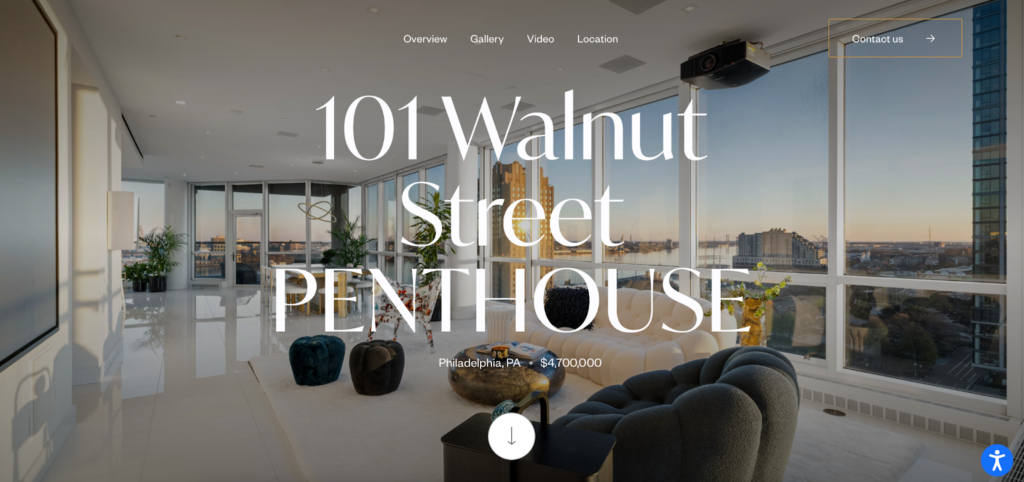
101 Walnut St, a Philadelphia penthouse, used a template built around a full-screen hero image with the address and a "Schedule a Tour" button visible on load.
The photo gallery and virtual tour sit early on the page, right before a quick stats block that answers the beds, baths, and square footage questions in a clean two-column layout. That order keeps an engaged buyer moving toward the tour-scheduling form instead of losing interest halfway down the page.
Templates for condos and multi-unit listings
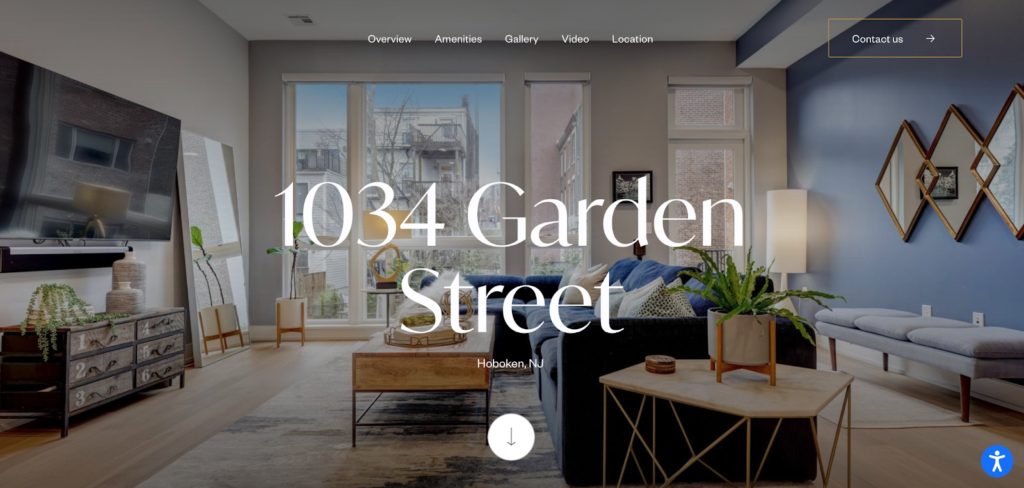
A Hoboken, New Jersey listing at 1034 Garden St used its template to market two units at once, one already sold and one still available. Labeling the sold unit created urgency around the one still on the market.
A video tour embedded directly below the property description gave buyers an immersive look, and a building data section covering HOA fees, year built, and tax information answered due-diligence questions before a serious buyer ever picked up the phone.
Templates for luxury single-family homes and estates
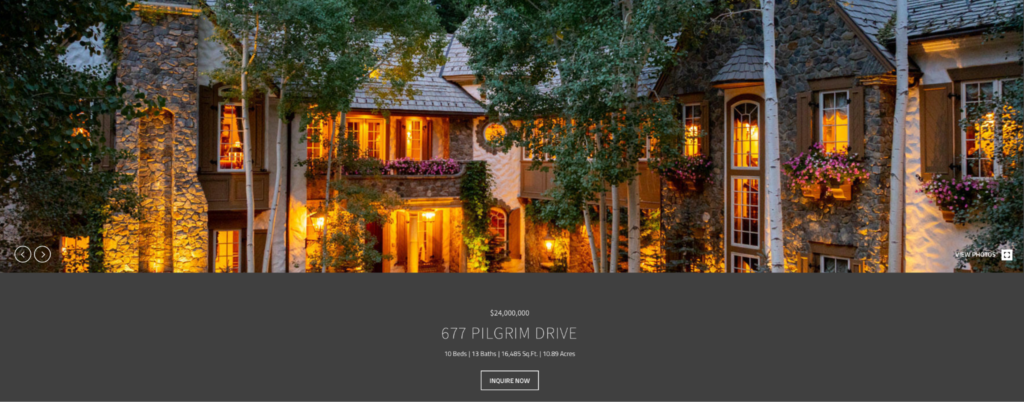
This property site from Colorado, paired a clean, minimal template with all of the amenities and HOA fees listed on the page, which turns a passive visitor into someone actively running numbers on a monthly payment,.
A "Schedule a Tour" button appears at the top of the page and again at the bottom, so a buyer who scrolls through every photo still reaches a clear next step.
Templates for new developments and multi-unit communities
A new development or a multi-unit building needs more than a single page. Look for a template that supports a community overview alongside individual pages for each floor plan or unit.
Side-by-side floor plan comparisons, a shared amenities section, and an inquiry form that routes every lead to the right contact matter more here than they do on a standalone single-family listing.
How to choose the right template for your next listing
Property type is the first filter, but it is not the only one.
| Consideration | What to look for |
|---|---|
| Price point and buyer expectations | A cinematic, full-screen template for a high-end estate. A stats-forward layout for a starter condo buyer who cares more about numbers than mood. |
| The media you actually have | A template built around video and drone footage only works with real video and drone footage. Match the template to what your photographer and videographer delivered. |
| The action you want a buyer to take | A mortgage calculator for a numbers-driven buyer. A prominent tour-scheduling form when the home needs to sell itself. |
| Brand consistency across listings | Consistent fonts, colors, and headshot placement across every template, so buyers recognize the agent behind the address. See How to Choose the Best Real Estate Website Design for more. |
How to launch a single property website template in one click
Luxury Presence built its single property website templates to remove the two obstacles that keep agents from giving every listing its own site: time and design skill.
- Pick a template. Log in to your dashboard and open the property website builder. Browse the library and choose a layout that fits the listing's price point and story. Estimated time: under two minutes.
- Choose a URL. Use a free Luxury Presence subdomain or connect a custom domain you already own. Estimated time: under one minute.
- Review and publish. The template pulls in your listing's MLS data, photos, and video automatically. Make any edits in the drag-and-drop editor, then publish. Estimated time: five to ten minutes.
Once the site is live, every lead who fills out a form flows into your connected CRM without any manual data entry, so follow-up starts the moment someone reaches out.
Single property website templates come included with every Luxury Presence website plan. Plan tiers differ mainly in contact capacity, ad management, and SEO support rather than in how many property sites you can publish. See the Luxury Presence plans page for the current breakdown.
Case study: how single property website templates helped one agent close $250 million
Cindy Ambuehl, a top-producing agent affiliated with a major Los Angeles brokerage, gave every listing its own branded microsite using Luxury Presence single property website templates.
Her workflow follows a repeatable pattern. The builder pulls MLS data and property details into her chosen template, and she uses the editor to adjust layout, refine copy, and confirm every detail matches her marketing vision.
| Metric | Result |
|---|---|
| Closed deals | 38 |
| Total deal value | $250 million |
| Increase in listing engagement | 30% |
| Decrease in listing-creation time | 50% |
| Increase in seller satisfaction | 25% |
Each finished site became the hub of her marketing for that listing, linked from newsletters, social media campaigns, and paid ads.
Results reflect Cindy Ambuehl's reported outcomes using Luxury Presence single property website templates. Engagement and satisfaction figures represent percentage changes from her prior listing marketing workflow. (Source: Luxury Presence Case Study: Cindy Ambuehl, 2024.) Full documented results.
FAQs on single property website templates
Ready to grow?
Turn your content into your best lead source
See how Luxury Presence helps agents turn website visits into closed deals