Property listings often show what a home looks like but leave out key details about the land and surrounding area. That’s why Luxury Presence is partnering with Land id to bring interactive, data-layered maps to your website so clients can see property boundaries, nearby features, and essential parcel information. This helps agents present every listing with clearer context and greater confidence.
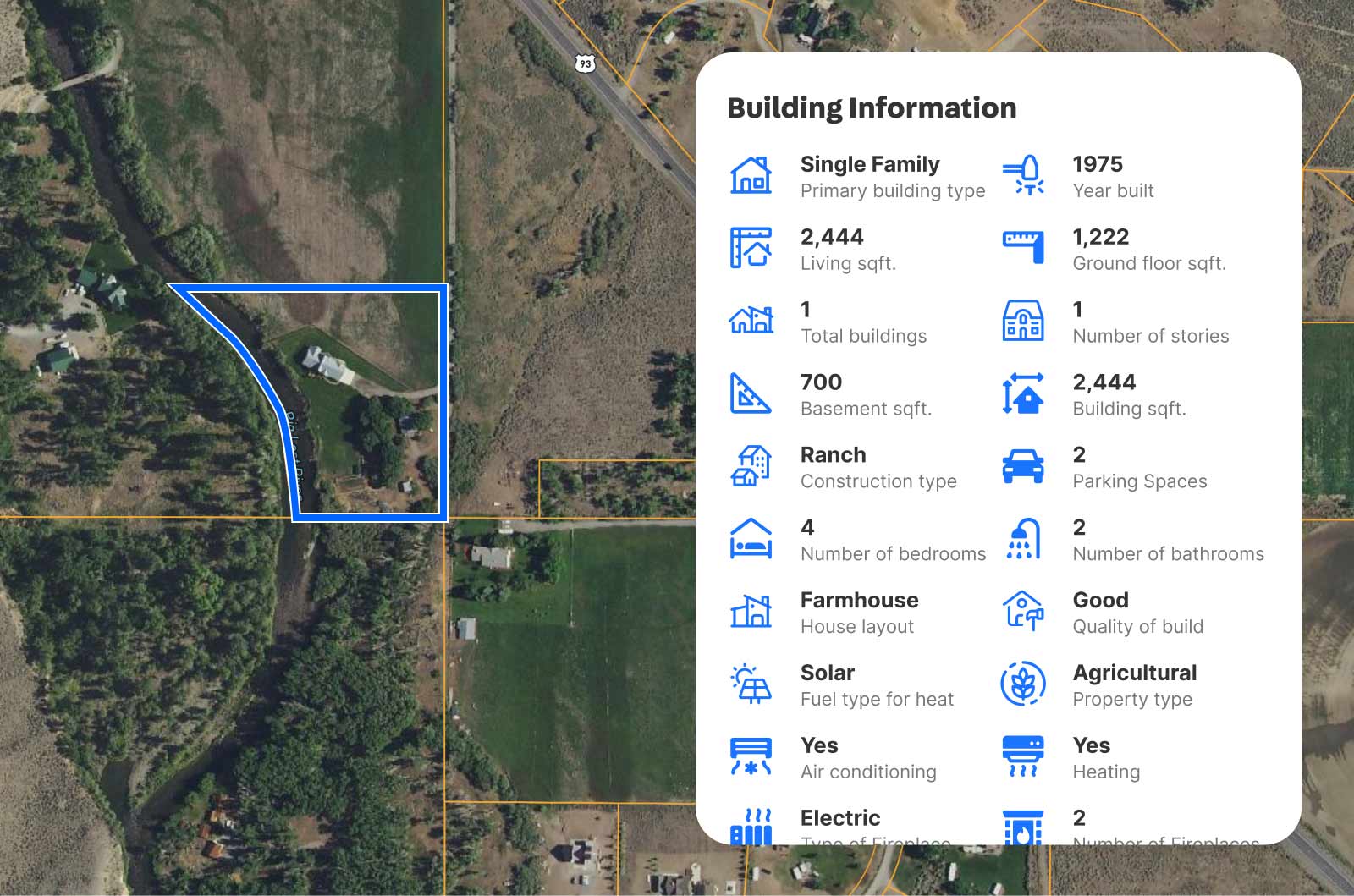
A new way to showcase properties with visual precision
Integrating Land id maps onto your Luxury Presence website instantly enhances your user experience by:
Bringing listings to life: Land id maps display property boundaries, ownership information, tax assessment data, zoning, soils, topography, land use, infrastructure, public lands, and internet connectivity details in one place. These layers help clients see the physical and functional characteristics of a parcel with clarity.
Delivering reliable data: Agents and clients gain access to current, verified information that supports accurate presentations and informed conversations.
Streamlining research: Everyone can review property details in one location, reducing time spent searching across multiple tools or systems.
Revealing the surrounding context: Each map highlights nearby features including waterways, infrastructure, boundaries, and points of interest. These insights help clients evaluate the environment around a property as carefully as the property itself.
How the integration works
Integrating Land id maps on your Luxury Presence website is simple and works across both listing pages and static pages.
Adding a Land id map to a property detail page
Open the Luxury Presence property CMS, select the listing, and paste the Land id embed URL into the Land id URL field. After saving, open the property detail page editor and add the Land id element if it isn’t already placed. The map appears on the live listing once the page is published.
Adding a Land id map to a static page
For pages such as a homepage, About Us page, or neighborhood guide, open the page in the website editor, add the Land id element, paste the embed URL into the Land id URL field, and save.
You can also watch our video tutorial on how to add Land id maps to your Luxury Presence website.
Luxury Presence and Land id bring data accuracy you can trust
Data integrity is central to this integration. Land id’s geographic information systems team works directly with data providers to verify each dataset before it is added, ensuring the maps reflect real-world conditions. Each data layer goes through multiple rounds of quality checks to maintain consistency across markets.
Instead of presenting raw technical information, the team organizes geographic data into a clear, easy-to-understand visual format that helps agents share reliable insights with clients from the first interaction.
Ready to turn property data into an immersive experience?
With Luxury Presence’s Land id integration, you can showcase every property with visually engaging maps that impress and earn trust, supporting stronger client engagement and more effective listing presentations. No plugins. No complicated workarounds. Just interactive maps that make your listings stand out.
Schedule an appointment by clicking the button below to learn how Luxury Presence can elevate your website’s user experience.
Expert website design services
Every day, Luxury Presence creates and manages real estate websites for some of the biggest agents, teams, and brokerages in the country. Learn how we can transform your online presence.